Google Search Console MCP Server
Connect Google Search Console and ask your AI tool which queries sit just off page one, which pages lost clicks after a ranking slip, and why a URL is missing from the index. It reads Search performance, URL inspection and sitemap data for each property, so you no longer export the Performance report to a spreadsheet for every question.
- No credit card required
- Set up in 2 minutes
- Read-only access






Set Up the Two Minute Reports Google Search Console MCP in 3 Simple Steps
Add Two Minute Reports to your AI tool once, then ask about your Google Search Console whenever you need an answer.
Create Your Free Account
Add Two Minute Reports to Your AI Tool
Start Asking Questions
Page Two Queries, Lost Clicks and Index Gaps in One Google Search Console MCP Question
One question across a month of Search Console data: queries close to page one, titles with a weak CTR, pages that slipped, index status for key URLs and sitemap errors.
 Google Search Console
Comparing this month with last month, which queries at position 11 to 20 get the most impressions, which pages lost clicks, are our key product URLs indexed with the right canonical, and do any sitemaps show errors?
| Area | What I found | Action |
|---|---|---|
| Page two queries | 14 queries sit at position 11 to 16 with 38,200 impressions, mostly on two guides | Expand both guides |
| Title CTR | /pricing-guide ranks 3.1 on mobile but gets a 1.2% CTR | Rewrite title tag |
| Lost clicks | /email-audit lost 41% of clicks after slipping from 2.4 to 6.8 | Refresh content |
| Index status | 3 of 20 product URLs are crawled but not indexed; Google picked another canonical for 2 | Fix canonicals |
| Sitemaps | /sitemap-blog.xml shows 14 errors and was last downloaded 19 days ago | Fix and resubmit |
Monthly SEO summary: Clicks fell 9% because two guides slipped out of the top three, not because of a site-wide drop. Rewriting their titles and fixing the product page canonicals come first.
Illustrative example
Queries, Discover Clicks, Canonicals and Sitemap Errors: What Two Minute Reports Reads From Google Search Console
The Two Minute Reports connector covers three Google Search Console reports: search performance, URL inspection and sitemaps.
Queries and pages
Query, Page and Site URL, each with clicks, impressions, CTR and average position.
Search types
Web, Image, Video, News tab, Discover and Google News, reported separately. Web is the default and excludes Discover and Google News.
Countries and devices
Country, filterable by ISO country code, and Device split into desktop, mobile and tablet.
Dates and trends
Date, week number and week start date (Sunday or Monday start), month, year month and year, for daily, weekly and monthly trends.
URL inspection
Index status verdict, coverage state, robots.txt state, indexing state, last crawl time, page fetch state, Google-selected and user-declared canonical, referring URLs, crawled as, mobile usability, rich results and AMP status.
Sitemaps
Sitemap path, type, last submitted, last downloaded, pending status, warnings, errors, content type and URLs submitted.
Find the Pages Losing Traffic Before They Disappear
Some of your best pages may be quietly losing clicks and sessions. Connect your GSC and GA4 data to Claude through Two Minute Reports. Identify your decaying pages, see how severe each issue is, understand the root cause, and know exactly what to fix next.
Your Own API Code, a Local Python Server or Two Minute Reports: Three Routes From Google Search Console to Your AI
Google offers the Search Console API but has not released its own Search Console MCP server, so every option you find is third-party code that calls that API. Community servers such as mcp-gsc (Python) and suganthan-gsc-mcp (npm) run on your computer with your own Google Cloud credentials.
| Feature | Search Console API (no Google MCP) | Open-source servers | Two Minute Reports |
|---|---|---|---|
| Who maintains it | Google, as a supported API with no MCP layer | Independent developers, for example mcp-gsc on GitHub and suganthan-gsc-mcp on npm | Two Minute Reports, hosted for you |
| What you need | A Google Cloud project, an OAuth 2.0 client or service account, and your own code | Python or Node, a Google Cloud OAuth client or service account file, and local configuration file paths | OAuth sign-in and one URL |
| Reports covered | Search Analytics, URL Inspection, Sitemaps and Sites | Whatever each author chose to wrap | Search performance, URL inspection and sitemaps |
| Changes to your property | The full webmasters scope can add sites and submit or delete sitemaps | Some include add_site, delete_site and submit_sitemap tools | Read-only on your Search Console properties |
| Other data sources | Search Console only | Usually Search Console only | Search Console plus 30+ other sources, with all client accounts in one workspace |
| Dashboards and client reports | Not included | Not included | Dashboards and scheduled white-label reports, included in every TMR plan |
Your Data Is Safe
Security you can explain to your clients, too.
We don't store your advertising data on our servers. Two Minute Reports connects to your data sources using OAuth - your credentials never touch our system. Your AI only reads what you've explicitly connected.
OAuth Authentication
Connects securely to your data sources. No passwords stored. Revoke access anytime from your platform settings.
Read-Only Access
Your AI can only read your data. It cannot create, edit, pause, or delete anything. Your account stays fully in your control.
No Data Training
Your advertising data is never used to train AI models. What's yours stays yours - full stop.
More Two Minute Reports MCP Servers You Can Connect Today
The same server URL works for every data source in your Two Minute Reports account.



Frequently Asked Questions
Yes. Ask for queries with an average position between 11 and 20, sorted by impressions, and your AI groups them by page so you see which URL needs work. To watch a fixed keyword list over months, the GSC keyword rank tracker skill charts position twice a month in a color-coded grid. See how skills run in your AI tool.
Google leaves rare queries out of query-level rows and may drop some data when results are grouped by page or query. So the sum of your query rows is usually lower than the site total. Ask your AI to compare the two figures for the same date range to see how much of your traffic has no visible query.
It does. The sitemaps report lists each sitemap path and type with its last submitted and last downloaded dates, pending status, warnings, errors and the number of URLs submitted. Ask which sitemaps have errors or have not been downloaded in two weeks to catch a broken feed before it hurts indexing.
Yes. Add device to your question and the AI splits clicks, impressions, CTR and position into desktop, mobile and tablet. You can also filter by country code, which helps when a title works in one market but not another. Every field you can use is listed on our Search Console metrics and dimensions page.
Not as of November 2026. Google publishes the Search Console API and an experimental MCP server for Google Analytics, but every Search Console MCP server is third-party code that calls the API. Some of them can add or remove properties and submit sitemaps, so check which tools a server exposes before you add it.
Both are included. The connector reports six search types: Web, Image, Video, the News tab in Google Search, Discover, and Google News (news.google.com and its apps). Web is the default and leaves out Discover and Google News, so name the search type in your question, for example Discover clicks by page last month.
Yes, for URLs you name. The URL inspection report returns the index status verdict, coverage state, robots.txt state, last crawl time, and the canonical Google chose next to the one you declared. A canonical mismatch often explains a page that drops out. Your AI will ask for the exact URLs rather than guess them.
Search Console keeps about 16 months of performance data, so year-over-year checks work for most months. Data usually arrives two to three days late and the newest days are not final, so end weekly comparisons three days ago. For history beyond 16 months, send the data to Google Sheets on a schedule.
Search Console stops at the click. If GA4 is also connected in Two Minute Reports, your AI can pull both and line them up by page, for example pages with rising clicks but falling key events. See what the Google Analytics MCP reads, or run the content decay skill, which uses both sources.
Yes. Ask for queries where two or more pages earn impressions in the same period, with position by page and date. When the ranking URL keeps switching and neither page holds a top spot, you likely have cannibalization. Your AI can list those queries and the pages involved so you can merge them or point one at a different query.
Recommended Reads
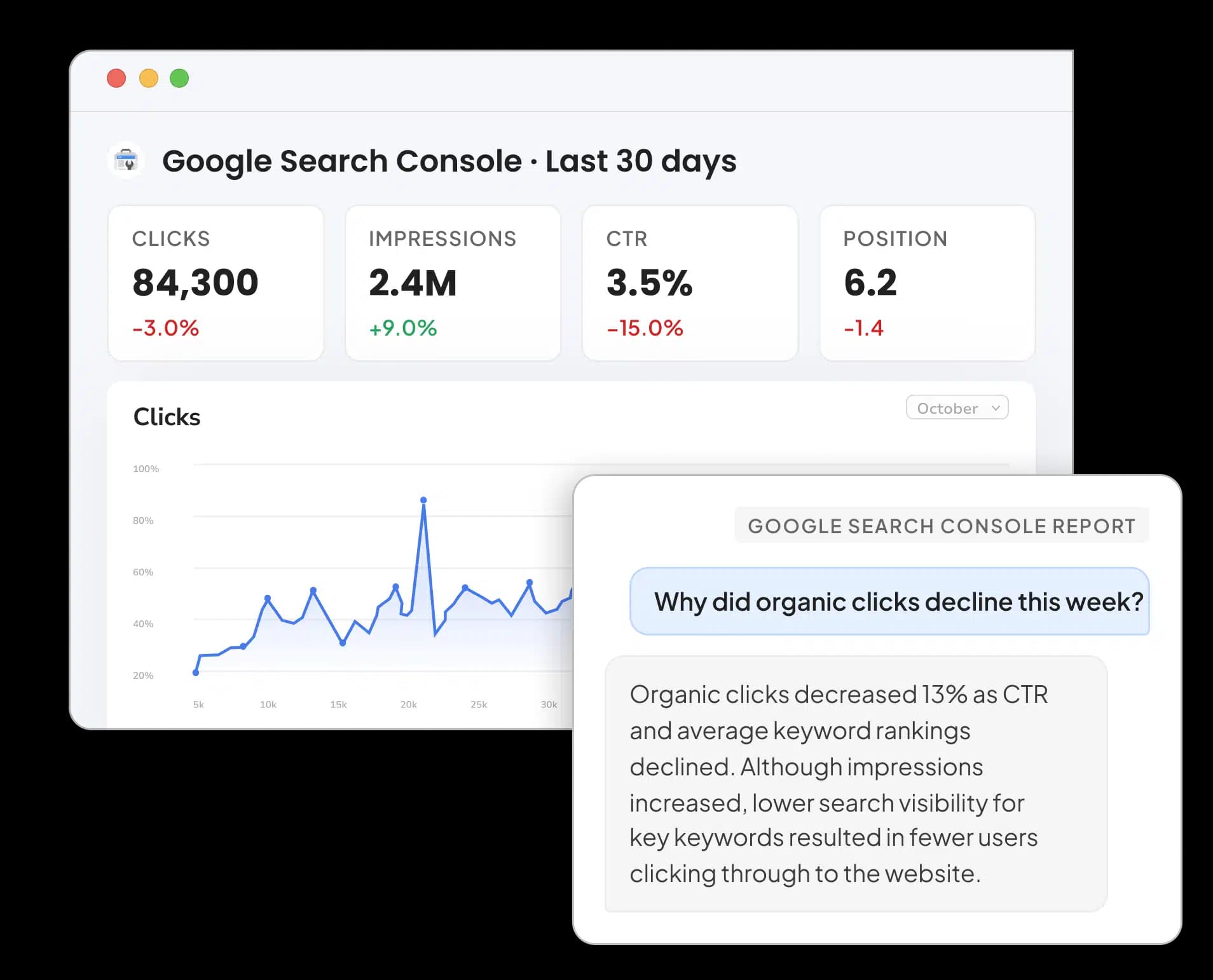
Google Search Console Reporting Tool
Connect Google Search Console to Google Data Studio: Tutorial & Templates (2026)


Take back your time. Wow clients.
Get Two Minute Reports.
Start your free trial todayBuilt by marketers. Built for marketers.